Turn on - Turn off Windows Update in Windows 7
Windows Update may anoise you, you can also turn it on or off manual. Just follow these steps below.
Step 1:Click Start then select Control Panel
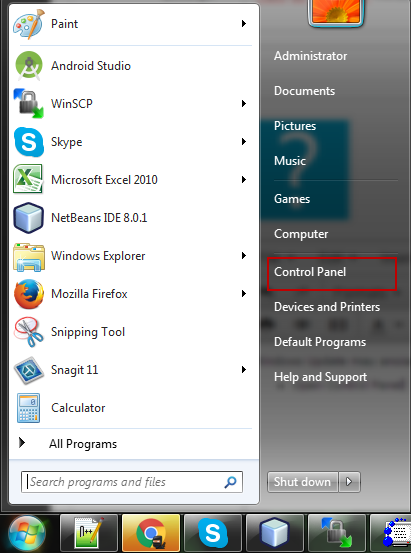
Step 2:In Control Panel screen, select System and Security
Step 3:Select Turn automatic updating on or off
Step 4: In this screen, choose Never check for update to turn off, choose these others to turn on.
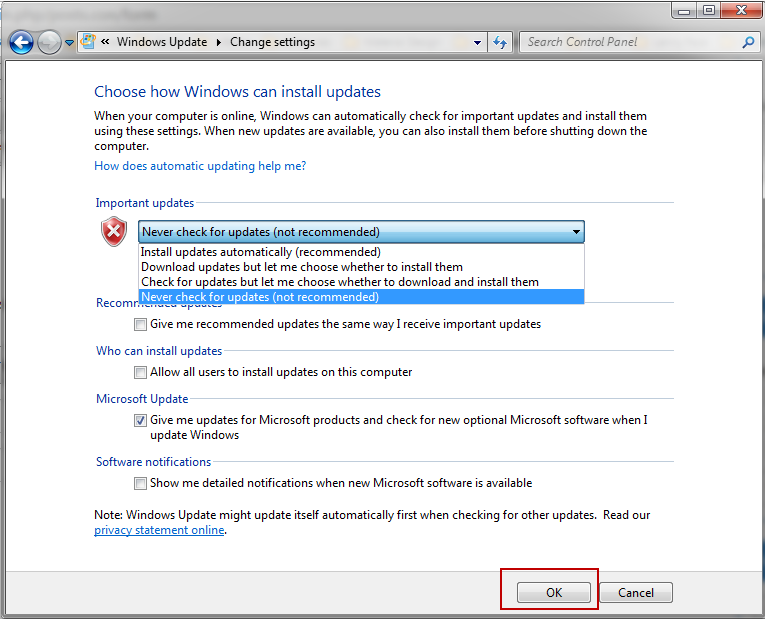
- After choosing, click Ok to save your setting.